A terminal that shows how every command went.

TermFlow Lite runs PowerShell, Git Bash, WSL and coding agents like Claude Code and Codex in tabs and splits. Every command gets a mark: passed, failed or still running.

Version 1.9.0. Free and open source.

Theme
Cursor
Open sourceon GitHub, MIT licensed
1.9.0latest release
15 themesplus your own palette
0 accountsno sign-in, settings stay local

Read a long session at a glance

Shell integration marks every command in PowerShell, Git Bash, bash and zsh. A green line means it passed, red means it failed, and slow commands show how long they took.

  • Ctrl ↑ and Ctrl ↓ jump between commands in a long scrollback
  • Right-click a command to copy its output, rerun it or copy it ready for an AI agent
  • A command that runs for more than 10 seconds in a background tab sends a notification when it ends
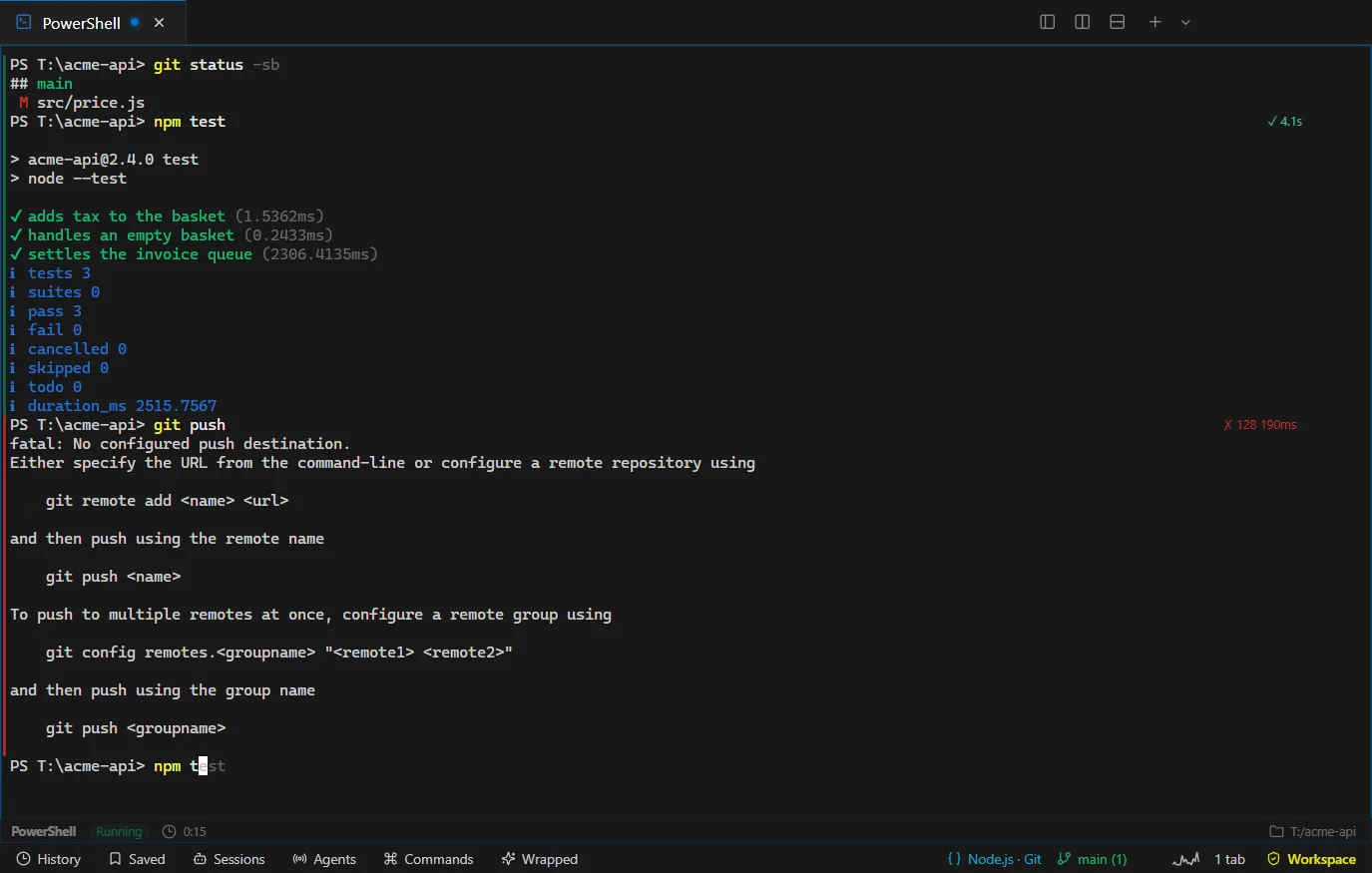
TermFlow Lite showing npm test marked passed in 4.1 seconds and git push marked failed with exit code 128

Run agents and shells side by side

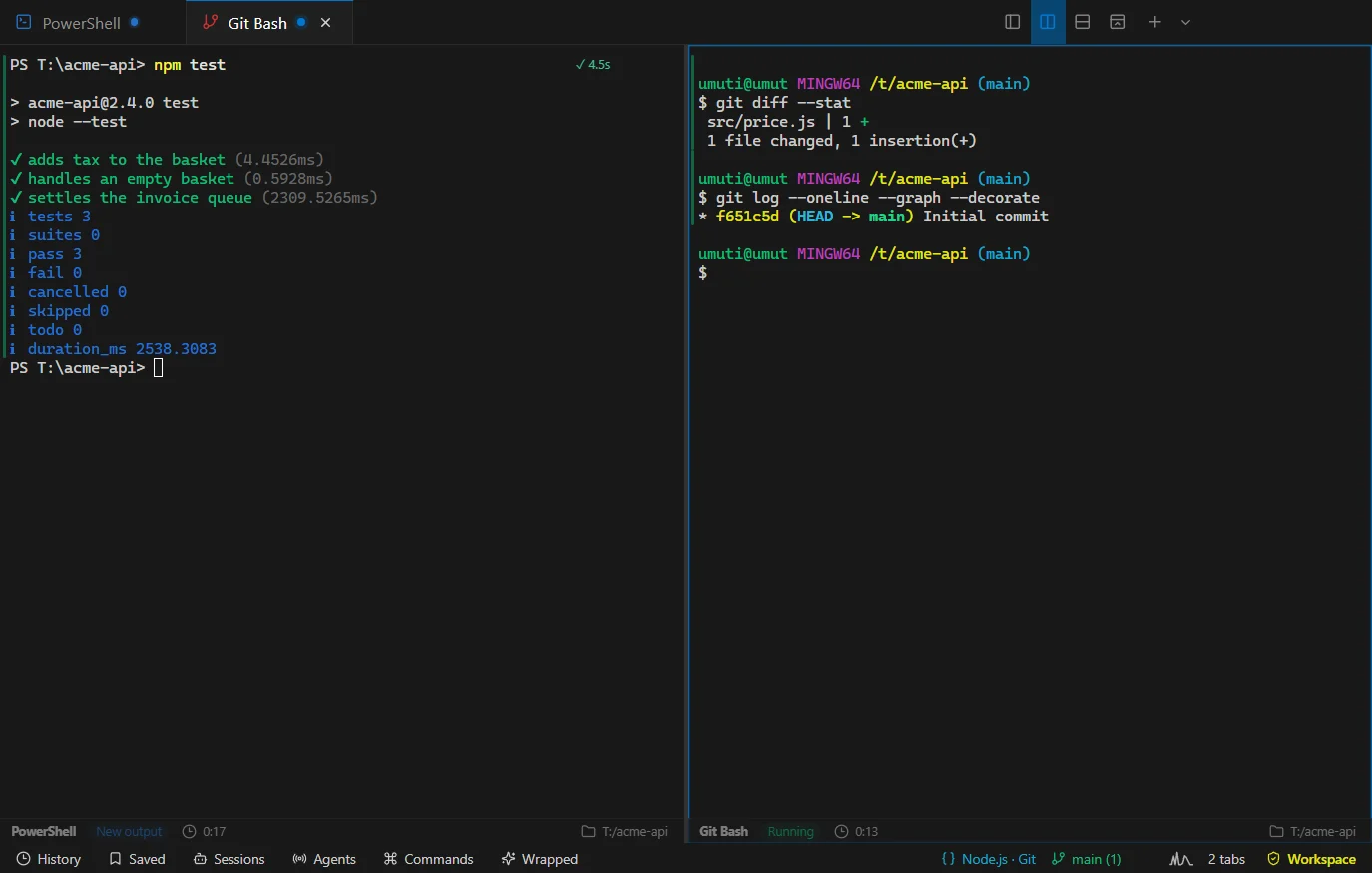
Split the window, drag panes to re-tile them and keep Claude Code, Codex or OpenCode next to the shell that runs your tests.

  • Give each agent its own git worktree so parallel sessions never overwrite each other
  • Hand work from one agent or provider to another without losing the context
  • Tabs show live state: running, waiting for input, new output, done or failed
Two panes side by side: PowerShell running npm test and Git Bash showing git diff and git log

Type less, find more

Commands you ran before appear as a grey suggestion while you type. Press → to take it.

  • Compiler and test errors like src/app.ts:42:7 open at that line in VS Code, Cursor or Windsurf
  • Search every command you ran with Ctrl Shift H
  • Run package.json scripts, Git and Docker tasks from the palette with Ctrl Shift P
The prompt shows npm t typed and the rest of npm test suggested in grey

Make it feel like yours

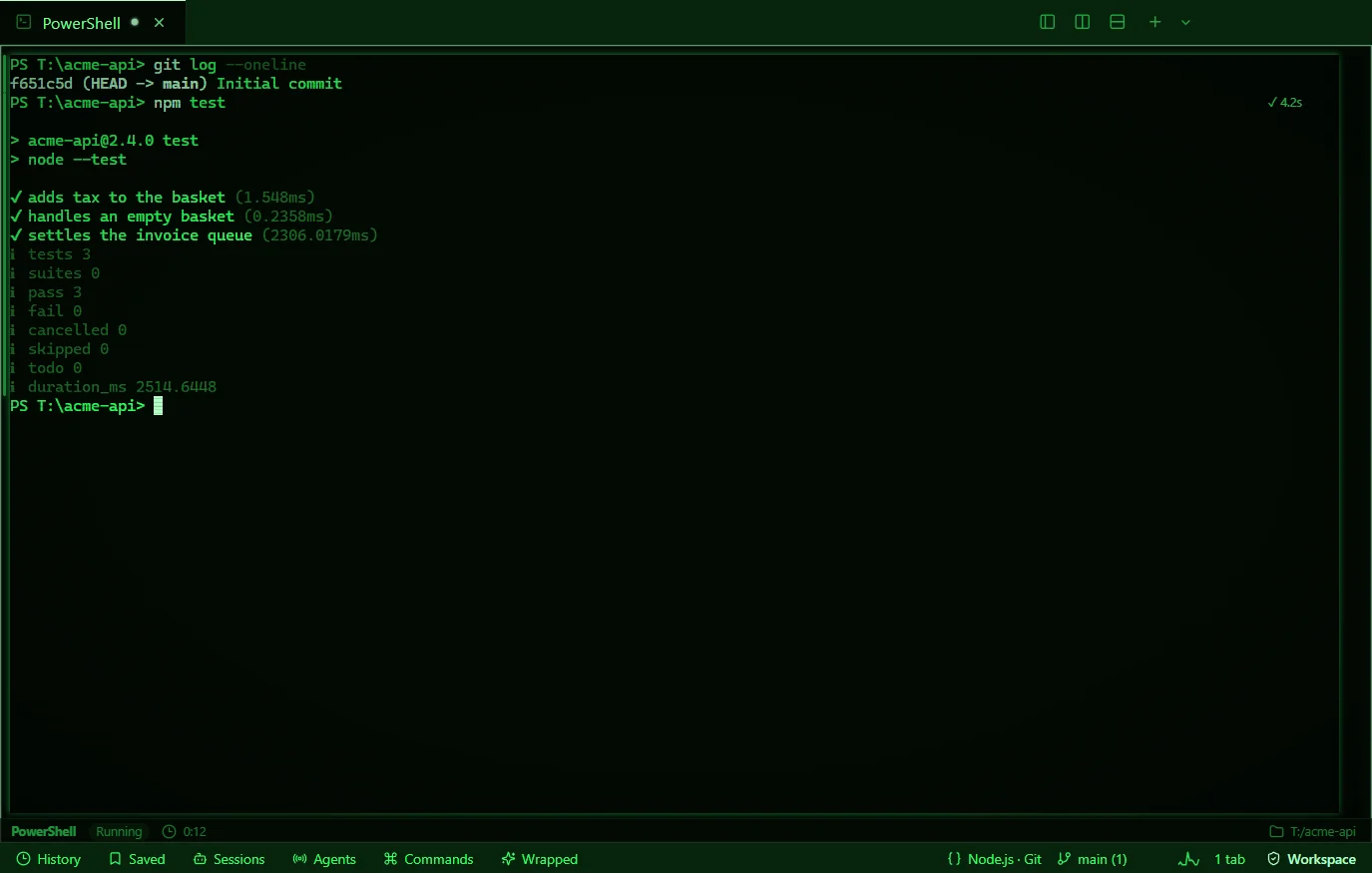
Fifteen themes and a custom palette editor, Mica and Acrylic backdrops on Windows 11, cursor trails and an optional retro CRT screen. Motion can be subtle, full or off, and the system reduce-motion setting always wins.

  • WebGL rendering, ligatures and inline images (Sixel and iTerm2)
  • Mechanical or soft key sounds, and confetti when your tests pass, if you want them
TermFlow Lite in the green Matrix theme with scanlines and phosphor glow

See your year in the terminal

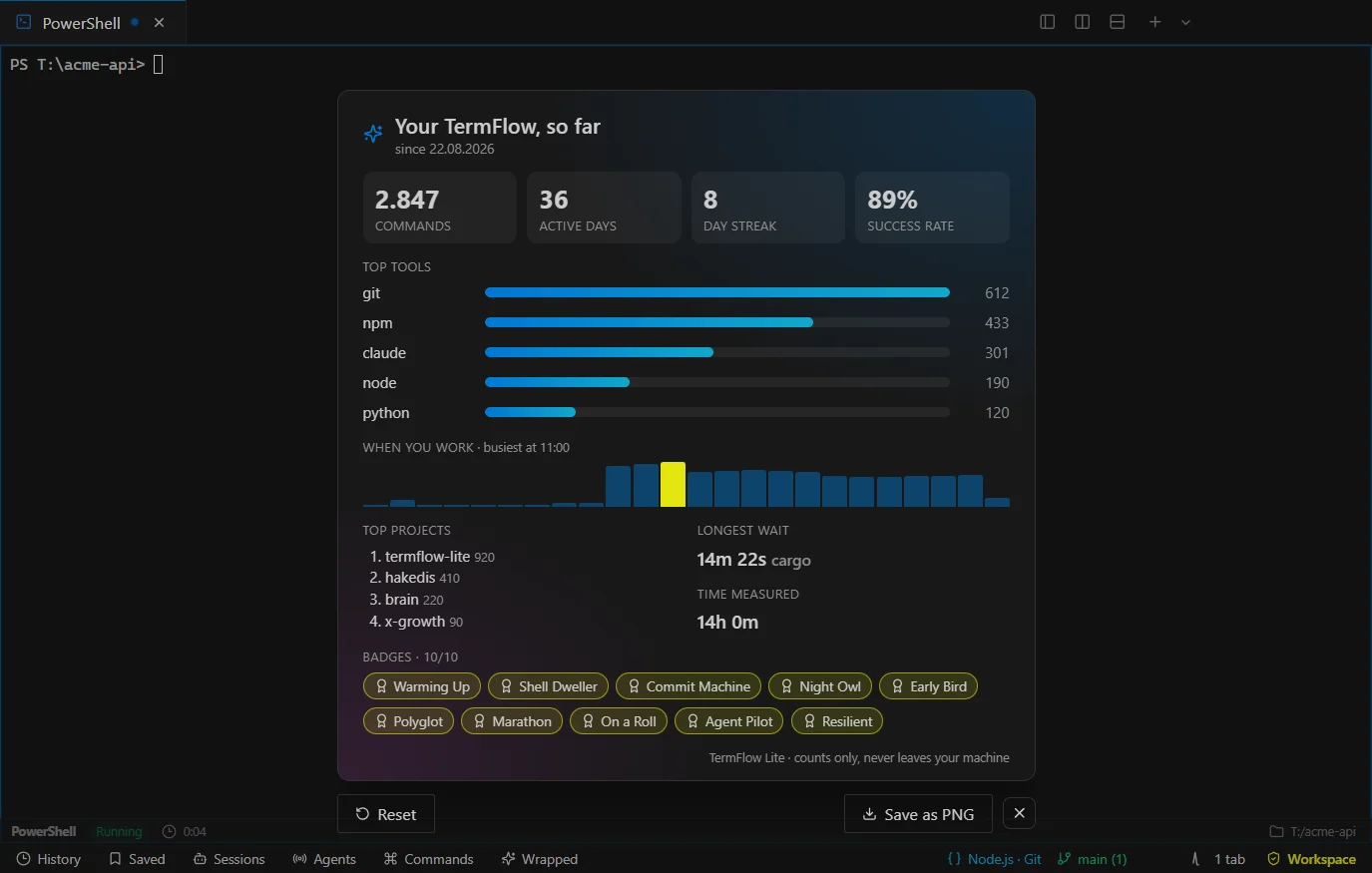
Wrapped counts your commands, top tools, busiest hour and streaks, and hands out badges like Night Owl and Commit Machine. Save it as an image to share.

Wrapped stores counters and tool names only, never arguments or output, and nothing leaves your machine.

TermFlow Wrapped card with command counts, top tools, an hourly chart and badges

Also in the box

SSH that survives a dropped link
Saved hosts use your own OpenSSH. Attach to tmux or screen so builds keep running.
Session restore
Tabs, folders and the split layout come back on the next launch.
Quake mode
Drop the window from the top of the screen with a global hotkey.
Broadcast input
Type once into every pane of a split with Ctrl Alt B.
Open in TermFlow Lite
Start any shell or agent in a folder from the Windows Explorer menu.
Close to tray
Closing the window keeps terminals and agents alive.
GitHub pull requests
Open a pull request in its own worktree with any agent, using your existing gh login.
Agent inbox
A redacted timeline of approvals, tool calls, completions and failures across tabs.
Automatic updates
The installed app checks for releases and updates when you confirm.

Get TermFlow Lite

Free and open source. Version 1.9.0.

Installing on many machines? The Windows installer runs silently:

TermFlow-Lite-1.9.0-x64.exe /S